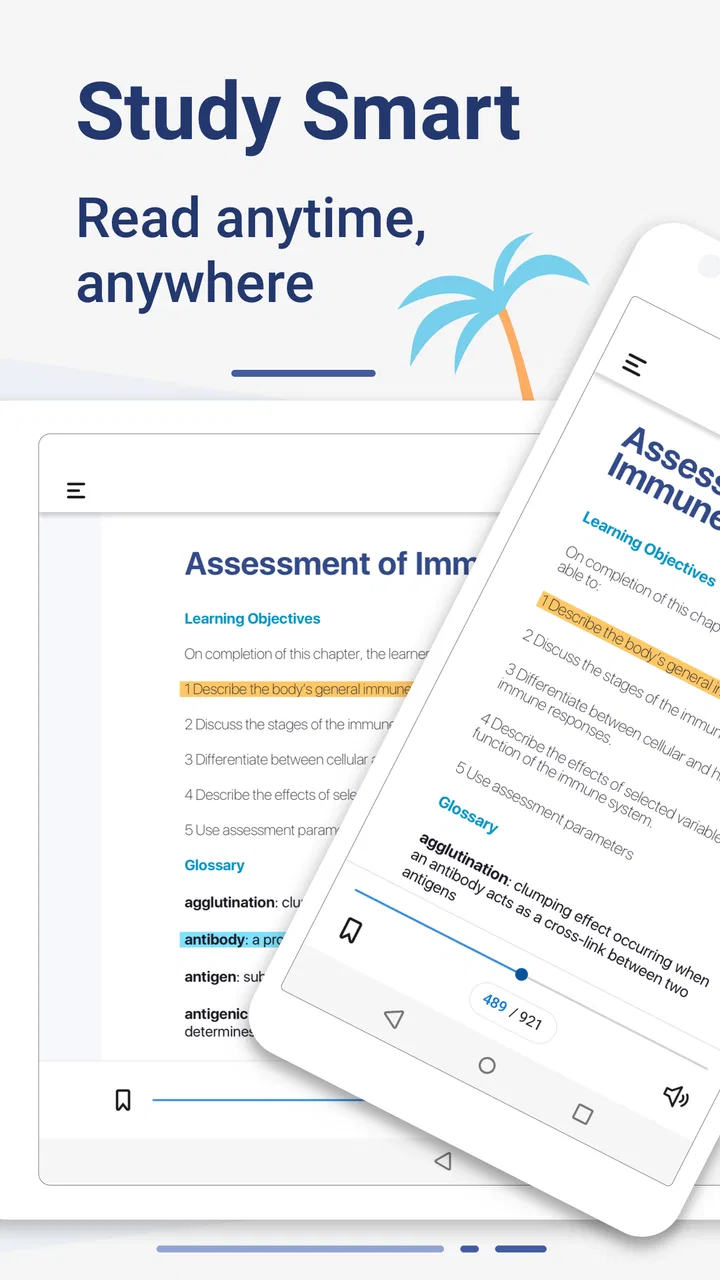
Yuzu eReader
- 3.6
- Rating
- 100.00K
- Installs
- Free
- Price

 Analysis by App-foxy
Reading course material on a phone or tablet can be convenient, but convenience depends heavily on how well the reader handles the material you actually need. Yuzu eReader is an education-focused app from Barnes & Noble College that brings digital content into a mobile reading environment. I see it as a practical option for students and learners who already use digital textbooks or other supported study material, rather than as a universal replacement for every reading app.
The app is free to install, which makes trying it a low-risk decision. That point matters, but it should be understood carefully: free installation is not the same thing as every book or course resource being free. The app provides the reading environment; the cost of individual digital content depends on how that content is obtained. I would therefore judge its value by the material you need to access, not by the download price alone.
How Yuzu fits into everyday digital study
At its core, Yuzu is designed to let you learn, read, and interact with digital content. That places it between a conventional eReader and a study tool. A general reading app is usually built around novels, magazines, or personal documents, while a course-oriented reader needs to make longer, more structured material manageable during classes, revision sessions, and commutes.
You May Also Like

 Blood Strike: 2.5 Anniversary
Blood Strike’s Loadouts Turn Every Drop Into a Tactical Gamble
A close look at Blood Strike’s custom loadouts: how fast access to signature weapons reshapes its battle royale rhythm, rewards preparation, and narrows the gap between fights.

 Pandora - Music & Podcasts
Pandora’s Music Is Easy to Start, but Harder to Recover
Pandora’s strength is its low-effort path from a seed to a station. Its weak spot is how much confidence it asks you to place in connection, setup, and quiet recovery.

 8 Ball Pool
 Is Built on Rivalries, Rematches, and Routine
A close look at the rivalries, rematches, shared routines, and unanswered safety questions that turn a quick pool match into a persistent mobile community.

 Samsung Music
’s Quiet Strength Is Playing What You Already Own
Its reach comes less from spectacle than from dependable access to a personal library. That simplicity is both the app’s strongest retention engine and its ceiling.

 AccuWeather: Weather Radar
AccuWeather Review: A Quick, Clear Forecast for Everyday Decisions
For everyday plans, the best forecast is the one you can understand quickly. AccuWeather makes rain timing, radar, and local conditions easy to act on, with a few trade-offs.

 Hill Climb Racing
Why Hill Climb Racing Still Turns Crashes Into One More Run
A tiny car, a bumpy hill and one more upgrade: Hill Climb Racing keeps resurfacing because its simple chaos makes every near-miss feel personal.
More From Our News Desk



In my experience, the most useful way to approach it is as part of a study routine rather than as an app to open casually without a plan. Before relying on it for a semester, I would install it on the device I intend to use, sign in through the relevant access route, and open the exact title or resource needed for class. That simple check can prevent an unpleasant surprise on the morning of an assignment.
The developer is Barnes & Noble College, so the app’s identity is closely tied to academic reading rather than broad consumer entertainment. That makes the audience fairly clear. Students who receive or purchase digital course content through an educational channel are more likely to benefit than readers looking for a large, general-purpose ebook library.
It is available as an app in the Education category and is suitable for Everyone. The age label is reassuring for households where a shared device may also be used by younger readers, although the suitability of a particular textbook still depends on the subject matter inside that book. The app itself is not a substitute for checking whether the content is appropriate for a particular learner.
What the free download really gives you
The free price is one of Yuzu’s strongest practical advantages. You can test the app without paying for the reader itself, which is especially useful when deciding between a phone, tablet, or another reading method. I appreciate that distinction because students often have to make several separate decisions: which device to use, which access method their course requires, and whether a digital title is worth its cost.
Still, I would not describe the whole experience as free education. The application is the access and reading layer, while the academic material may involve its own purchase or institutional arrangement. That means the right question is not simply “Does Yuzu cost anything?” but “Will the required content be available to me, and what will that content cost?” Keeping those questions separate gives a more honest picture of value.
If you already have legitimate access to compatible digital material, the free app can be a useful way to avoid buying a separate dedicated reader. If you do not have a title or course resource ready to use, installing the app alone may not provide much immediate benefit. I would treat the download as an entry point, not as a complete library subscription.
Reading during a normal study day
Imagine a student leaving a lecture with several chapters to review before the next class. A phone is convenient for checking a short passage on the bus, while a larger screen is more comfortable for sustained reading and comparing ideas. Yuzu can fit into that kind of split routine: quick reference on a mobile device, then a longer session when the reader has more room and fewer distractions.
The important habit is to prepare before leaving reliable internet access. I would open the assigned material in advance, confirm that the correct title is available, and avoid waiting until the commute itself to solve account or access problems. This is not glamorous advice, but it is the sort of workflow that makes a digital textbook app feel dependable instead of stressful.
For revision, I would also divide reading into clear tasks. One session might be for understanding a chapter, another for revisiting difficult pages, and a third for checking material before an assessment. Digital reading is most effective when it supports a plan; simply scrolling through a long chapter on a small screen can create the illusion of progress without much retention.
Where the educational angle matters
Yuzu’s value is not just that it displays words on a screen. Its purpose is to support interaction with digital learning content, which can make it more relevant than a basic document viewer for students whose materials are supplied in a structured academic format. That distinction is easy to overlook when comparing it with ordinary ebook apps.
At the same time, I would avoid assuming that every textbook will feel equally comfortable. Academic content varies widely: some books are mostly flowing text, while others depend on diagrams, tables, formulas, sidebars, or dense page layouts. A reader that feels fine for prose may be less pleasant for a technical chapter that requires frequent visual comparison.
My practical recommendation is to test the hardest material first. Do not judge the app using the easiest chapter in a course. Open a page with the most complicated layout, try reading it at the size you prefer, and see whether moving between sections feels manageable. That gives a much better indication of whether the app suits your actual studies.
Useful habits that improve the experience
One non-obvious advantage of a dedicated course reader is that it can help keep academic reading separate from the distractions surrounding a web browser. I would use Yuzu for the assigned material and keep research, messaging, and entertainment in other apps. This creates a simple boundary: when the reader is open, the task is to work through the content rather than drift into unrelated tabs.
A second useful tactic is to use short review passes instead of one long reading marathon. After finishing a section, pause and state the main idea in your own words before continuing. This is especially helpful on a phone, where the ease of tapping forward can encourage passive reading. The app provides access to the content, but your study method determines how much you retain.
A third trade-off involves device choice. A phone is excellent for portability and brief checks, but it can make long chapters tiring. A tablet or larger compatible screen is usually the better choice for extended reading, especially when the material contains complex page designs. I would not reject Yuzu because a phone feels cramped; I would first ask whether the problem is the app or simply the screen size.
How it compares with familiar alternatives
Compared with a standard ebook app, Yuzu makes more sense when the reading comes from an academic or course-related source. A general ebook service may be better for novels, casual reading, or a personal collection built across many publishers. If your main goal is leisure reading, Yuzu’s education focus may not offer enough reason to change your habits.
Compared with a PDF viewer, Yuzu can be more appropriate when the material is supplied as an interactive digital learning resource rather than as a file that you simply download and open. A PDF viewer remains attractive for people who need broad file compatibility, local document control, or a familiar page-by-page workflow. I would choose the PDF route when my school or instructor specifically provides ordinary PDF files and no extra reading environment is needed.
Compared with a physical textbook, the app’s advantages are portability and reduced bulk. Carrying several digital titles on one device is easier than carrying several heavy books, and searching within digital material can be faster than turning pages manually. Physical books still have a strong advantage for readers who concentrate better away from screens, prefer handwritten notes beside the page, or dislike battery-dependent study.
There is also a personal comfort issue. Some people can read academic material on a screen for hours without trouble, while others lose focus quickly. Yuzu cannot solve eye strain, notifications, or poor ergonomics. A stand, a larger display, and scheduled breaks may improve the experience more than changing reader apps.
Limitations I would consider before relying on it
The biggest limitation is that the app’s usefulness depends on having the right digital content and access pathway. A free reader with nothing relevant to open is not good value, and a reader that does not match the way your institution distributes material will create friction. I would verify the title and access process before making it the only way I plan to study.
Another limitation is the difference between reading and owning. Digital access can be convenient, but it may not feel as straightforward as keeping a physical book on a shelf or a file in a folder. If you like building a permanent personal library that is independent of a particular reading ecosystem, a conventional ebook store or physical purchase may suit you better.
Mobile study also brings practical distractions. A notification can interrupt a difficult paragraph, and a small screen can make dense pages uncomfortable. These are not reasons to dismiss Yuzu, but they do mean that the best setup may involve a quiet mode, a larger device, or carefully planned reading blocks.
The current version is 11.4.2, and the app requires an operating system version of 9 or later. That makes device compatibility an important first check, particularly if you are using an older phone or tablet. I would update the device where possible, then test the reader with a real course chapter rather than assuming that installation alone proves everything will work smoothly.
Who is most likely to get good value
I think Yuzu is best suited to students who already know that their studies involve digital content supported by Barnes & Noble College. It is also a sensible option for learners who want to carry reading material without adding printed textbooks to a backpack. Its free installation makes experimentation easy, provided the content-access question has already been answered.
It can also work well for someone who alternates between short mobile reading sessions and longer study periods on a bigger screen. That flexibility is valuable when your schedule changes from day to day. A student waiting between classes can review a few pages, then return to the same material later for more focused work.
Readers who should probably skip it are those seeking a general ebook marketplace, a dedicated novel-reading experience, or a universal document manager. If your library consists mostly of books from unrelated sources, a broader reading platform may be less restrictive. Likewise, if you strongly prefer paper and rarely study from screens, the fact that the app is free may not overcome the basic mismatch with your habits.
I would also hesitate to recommend making it your sole study tool before testing accessibility and comfort personally. Reading needs vary, and dense academic pages can expose weaknesses that are invisible when browsing a short description. A brief trial with the most demanding material is a better decision method than relying on the app’s category alone.
What existing users suggest about expectations
Yuzu has passed one hundred thousand installs, with an average rating of 3.6 from 896 ratings and 591 written reviews. I read that overall picture as moderate rather than universally enthusiastic. It suggests that the app is useful for a meaningful group of learners, while also reminding new users that their experience may depend heavily on the specific material, device, and access arrangement.
Those figures should not be treated as a guarantee for a particular course. A rating can reflect many things beyond reading quality, including account setup, content availability, device behavior, or expectations about what the free application includes. I would use the rating as a reason to test the app early, not as a final verdict for my own situation.
My buy-or-skip recommendation
My recommendation is to try Yuzu when you have a confirmed need for compatible digital course content. Because the app itself is free, the trial cost is low, and the education focus may make it more useful than a generic reader for that specific purpose. I would install it before classes begin, open the required material, and test the pages that are hardest to read.
I would skip it if I am looking for a broad entertainment ebook collection, a flexible file cabinet, or a reading experience centered on physical ownership. In those cases, a general ebook platform, a PDF reader, or a paper textbook may be a better fit. The app’s value is conditional, not universal.
Overall, I see Yuzu as a practical academic reading companion rather than a complete answer to every digital reading need. Barnes & Noble College has positioned it around learning and interaction with digital content, and that focus is its clearest reason to use it. The best value comes when the app matches the exact course material you already need and the device you can comfortably study on.
For the right student, that can mean lighter bags, quicker access, and a more organized way to move between classes and revision. For everyone else, the free download is still easy to test, but there is no reason to force it into a role better handled by another reader. I would give it a fair trial with real academic content, then keep it only if it makes studying easier in practice.
FAQs for Yuzu eReader
01What is Yuzu eReader and what can I use it for?
Yuzu eReader is a digital reading platform designed for accessing and studying eTextbooks and other educational materials. After signing in, users can open books, navigate chapters, search for terms, highlight passages, add notes, and sometimes use interactive learning features provided by the publisher. It is primarily intended for students and educators, rather than for reading standard EPUB novels or general-purpose documents.
02Do I need an account or an access code to use Yuzu eReader?
In most cases, you need to sign in with a Yuzu, school, institution, or publisher account before you can access purchased or assigned content. Some textbooks may require an access code supplied by a college, school, bookstore, or course provider. Installing the app alone does not normally provide access to paid books, so check your institution or purchase confirmation to make sure your credentials and entitlement are supported.
03Can I read Yuzu eTextbooks offline?
Yuzu eReader may allow supported books to be downloaded for offline reading, which is useful when traveling or studying without a reliable internet connection. However, you generally need to sign in and download the title while online first. Offline availability can depend on the publisher, licensing restrictions, and the specific book. Synchronization of notes, highlights, or progress may wait until the device reconnects.
04Which devices and platforms are compatible with Yuzu eReader?
Yuzu eReader is intended for supported Android and iOS devices, although the exact compatibility can vary according to the operating-system version, device model, and current app release. Before downloading, check the official store listing for minimum requirements. A larger phone or tablet usually provides a more comfortable textbook experience, especially when viewing diagrams, interactive content, side-by-side pages, or detailed academic material.
05What should I know about notes, highlights, and access to my books?
The app is most useful when you take advantage of its study tools, such as highlighting text, adding notes, bookmarking pages, and searching within a book, where those features are available. Your activity may synchronize across supported devices when you use the same account and have an internet connection. Access is tied to your account and digital licenses, so deleting the app or changing devices does not automatically transfer books without signing in again.
Pros
- Supports many ebook formats for flexible reading.
- Clean interface makes browsing and opening books simple.
- Reading progress sync keeps your place across supported devices.
- Customizable fonts
- spacing
- and themes improve comfort.
- Useful library organization helps manage large ebook collections.
Cons
- Some advanced features may require time to discover.
- Large libraries can feel slower to browse on older devices.
- Book metadata and covers may need manual correction.
- Compatibility can vary with DRM-protected or unusual files.
- Battery use may increase when syncing or using bright themes.

Yuzu eReader
Gallery